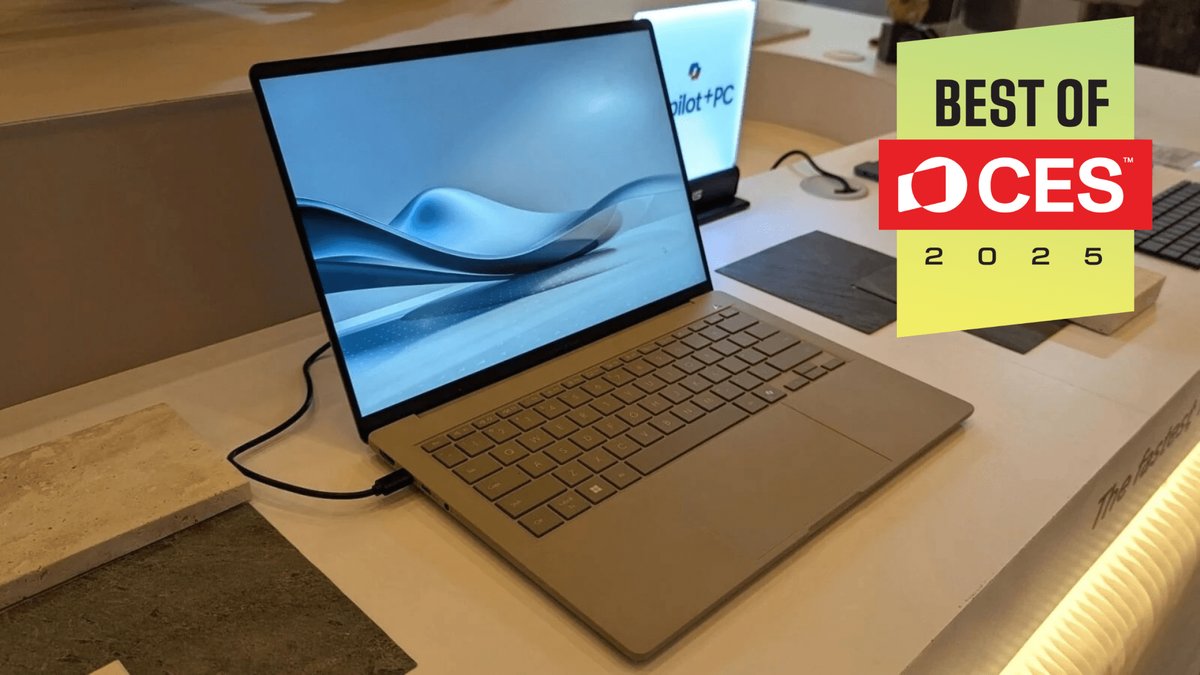
Embarking on a quest for your next computer or laptop can feel like navigating a maze, especially with the rapid pace of technological advancements. Whether you're upgrading for work, school, creative pursuits, or pure entertainment, choosing the right machine is about more than just specs; it's about finding a reliable companion that fits seamlessly into your digital life. This guide cuts through the noise to help you find the perfect Computers & Laptops for your needs, leveraging insights from experts like PCMag, who rigorously test over 100 models annually.
At a Glance: Your Next Laptop Upgrade in 2026
- AI is Everywhere: New processors (Intel Core Ultra, Apple M4/M5, Snapdragon X Plus) bring dedicated AI acceleration, making your future laptop smarter and more efficient.
- Battery Life Booms: Expect many mainstream and ultraportable laptops to offer truly all-day (and beyond) battery life, with some reaching 20+ hours.
- Displays Get Dazzling: OLED and Mini-LED screens are becoming more common, offering incredible brightness, color, and contrast, especially in premium models.
- Price Hike Alert: Component costs, driven by AI data center demand, are expected to push laptop prices up by 30% or more. Budget wisely.
- Modularity Matters: For the tech-savvy, repairable and upgradeable laptops like the Framework 16 offer unprecedented longevity.
- Dell 14 Plus Takes the Crown (for most): PCMag's top pick for the average user, balancing value, battery life, and solid everyday performance.
The Evolving Landscape of Computers & Laptops: What's Driving Change?
The world of personal computing is always in motion, but 2026 marks a significant shift, largely propelled by advancements in artificial intelligence (AI) and a renewed focus on power efficiency. Processors are no longer just about raw clock speed; they now feature dedicated neural processing units (NPUs) that accelerate AI tasks, making everything from photo editing to video calls smoother and smarter. This integration of AI is not just a buzzword; it's fundamentally changing how your operating system and applications interact with your hardware, leading to innovations like Microsoft Copilot+ PCs.
But with innovation comes complexity. The sheer variety of form factors, operating systems, and specialized hardware can be daunting. From featherlight ultraportables to powerhouse workstations, each type of machine is designed with a specific user in mind. To truly get the most out of your investment, it's crucial to understand the differences here between these categories and how they align with your daily tasks and future aspirations.
How to Choose Your Perfect Machine: Key Considerations
Before diving into specific recommendations, let's break down the critical factors that should guide your decision. Think of this as your personal checklist for navigating the modern laptop market.
What Kind of Laptop User Are You? (Types of Laptops)
Identifying your primary use case is the first step. Each laptop category is optimized for different priorities:
- General-Use Laptops: The workhorses for everyday tasks like web browsing, email, word processing, and streaming. Typically priced between $300 and $1,100, they usually rely on CPU-integrated graphics. Perfect for the casual user, student, or household hub.
- Ultraportables: Designed for life on the go. These machines weigh under 3 pounds, are incredibly thin, and often feature 13- to 14-inch screens. Expect to pay $800 or more, with MacBooks often starting around $1,000 for this category. They prioritize battery life and sleek design.
- 2-in-1 Laptops: Offering supreme versatility, these come in two main flavors:
- Convertibles: With a 360-degree hinge, they transform from laptop to tablet.
- Detachables: A tablet with a snap-off keyboard cover. All 2-in-1s feature touch screens.
- Gaming Laptops: Built for performance, these feature powerful discrete GPUs (graphics processing units) to handle demanding games at high frame rates. Prices range wildly from $800 for entry-level models to over $4,000 for top-tier systems.
- Business Laptops: Often indistinguishable from general-use or high-end ultraportables, but they come with added layers of security features, robust build quality, and premium warranties crucial for professional environments.
- Mobile Workstations: For the professionals in 3D rendering, machine learning, AI engineering, or video editing. These start at $1,500 and pack dedicated, work-grade GPUs with specialized drivers for intensive tasks.
- Chromebooks: Running Google's ChromeOS, these are cloud-focused machines with minimal local storage. Rarely costing over $700, they're great for web-based tasks, students, and budget-conscious users.
- MacBooks: Apple's ecosystem offers the MacBook Air for mainstream users and the MacBook Pro for content creation and professionals. Prices span from around $700 for older Air models to over $4,000 for fully loaded Pro versions.
Beyond the Brand: Evaluating Individual Models
While brand loyalty is common, PCMag's extensive testing reveals that strengths can vary significantly even within the same brand. Don't assume one brand is always "the best." Instead, evaluate models individually based on their specific features and your needs. Readers' Choice series often offers great insights into which brands are favored for particular uses.
The Power Source: Battery Life Expectations
Battery life is a cornerstone of a great laptop experience, especially for mobile users. Mainstream and thin-and-light laptops generally offer the longest endurance, with some hitting true all-day performance. Gaming and workstation models, due to their powerful components, naturally have shorter battery lives, particularly under load.
How it's tested: PC Labs conducts tests by playing local video continuously at middle brightness. Notably, HP's OmniBook X AI and the Apple MacBook Pro 14 (M3) currently lead the pack with an astonishing 30 hours of battery life. Keep an eye out for models boasting Intel Core Ultra processors (often "V" series), which prioritize efficiency, contributing to these impressive numbers.
Budgeting for Your Upgrade: Price Expectations for 2026
Here's a crucial heads-up: laptop prices are highly volatile and are expected to increase significantly – by 30% or more – due to surging demand for memory and storage in AI data centers. Factor this into your budgeting.
- Under $500: These are entry-level machines, perfectly adequate for basic tasks like word processing, email, and casual web browsing. They will, however, struggle with heavy multitasking or more demanding applications.
- $700 - $1,100: This mid-range sweet spot often offers a blend of cutting-edge features. Think slim designs, higher-resolution displays (though rarely 4K), powerful processors, and all-day batteries. You'll likely need to make some compromises, but you can get a very capable machine here.
- $2,000+: At this premium tier, you can generally get almost any combination of desired features. Business laptops, in particular, often command higher prices due to their enhanced warranties, robust security features, and rugged, MIL-STD 810H-certified designs.
Size & Portability: Finding Your Sweet Spot
A laptop's physical dimensions dramatically impact its usability.
- Ideal for Most: Many users find a 13- or 14-inch screen size with a thickness of around 0.5 inches and a weight of 3 pounds or less to be the sweet spot for portability and screen real estate. This is the realm of the "ultraportable."
- Smaller Options (11-12 inches): Often found in tablets with detachable keyboards, these are typically under 2 pounds. While incredibly light, they can be less effective for extended typing or as a full-fledged laptop.
- Larger Options (17-18 inches): These machines appeal to hardcore gamers or professionals who need maximum screen space, effectively mimicking a desktop experience. They can exceed 6 pounds and be over an inch thick. For most gamers, 15- or 16-inch models strike a better balance.
Seeing is Believing: Display Technologies Explained
Your laptop's screen is your window to the digital world, so don't overlook its quality.
- Minimum Standard: Aim for Full HD (1920x1080) or WUXGA (1920x1200) resolution with an IPS (In-Plane Switching) panel. IPS ensures wide viewing angles, so colors don't wash out when you're not looking directly at the screen.
- Higher Resolutions: For crisper text and more detailed visuals, consider 1440p, 1600p, or even 4K (3840x2160) displays.
- Premium Options:
- OLED (Organic Light Emitting Diode): Offers inky blacks, incredible contrast, and luxurious, vibrant colors.
- Mini LED: Excellent for HDR (High Dynamic Range) content, providing superior brightness and local dimming zones for impressive contrast.
- Brightness: Look for at least 500 nits if you plan to use your laptop in bright environments or outdoors. Many premium displays now push beyond this.
- Refresh Rate (for gamers/creators): Higher refresh rates mean smoother visuals. 120Hz or 144Hz are common in gaming laptops, with some reaching up to 360Hz. Just make sure the laptop's GPU is powerful enough to push high frame rates to utilize that refresh rate fully.
- Touch Screen: Available on most Windows and ChromeOS laptops (often with glossy screens). MacBooks currently do not offer touch screens.
Our Top Picks: The Best Computers & Laptops for Every Need
Now that you're armed with the knowledge of what to look for, let's explore the standout Computers & Laptops that PCMag recommends for various user profiles in 2026.
Best Laptop for Most People: Dell 14 Plus (DB14250)
If you're looking for an all-around solid machine that won't break the bank, especially when on sale, the Dell 14 Plus is your best bet. It's a fantastic value 14-inch laptop perfect for home or school.
- Why it's great: A staggering 20 hours of battery life (thanks to efficient Intel Core 200V processors), a comfortable keyboard and touchpad, decent speakers, a good webcam, and a premium metal build. Connectivity includes practical ports like Thunderbolt 4. The 1600p IPS panel is sharp and saturated with a 90Hz refresh rate, offering high image quality despite not being the brightest. It's also a Microsoft Copilot+ PC, ready for the latest AI features.
- Considerations: It's half a pound overweight compared to some ultraportables, and the screen could be brighter.
- Ideal for: Casual computer users, students of almost all ages, and early adopters eager to explore AI features.
Best MacBook for Most People: Apple MacBook Air 13-Inch (2025, M4)
For those firmly in the Apple ecosystem, the latest 13-inch MacBook Air with the M4 chip offers a compelling blend of power, portability, and AI capabilities.
- Why it's great: Apple's M4 processor provides advanced AI features, an improved 12-megapixel Center Stage camera, and a welcome return to a sub-$1,000 starting price. It’s incredibly thin (0.44 inches) and light (2.7 pounds) with two Thunderbolt 4 ports. The 13.6-inch Liquid Retina screen is still solid, and M4 performance excels in demanding tasks like Photoshop, even supporting ray-tracing for casual gaming. Battery life is an impressive 19 hours and 56 minutes, and the base model now includes 16GB RAM.
- Considerations: Some Windows ultraportables offer higher performance, battery life is slightly down from the 2024 model, and the display technology is beginning to show its age against newer OLED panels.
- Ideal for: Apple die-hards and college students seeking a reliable, sturdy computer with excellent inputs and versatile connectivity.
Best Budget Laptop: Acer Aspire 3 (A315-24P)
When every dollar counts, the Acer Aspire 3 delivers surprising value. Often found for under $300 (and rarely above $400), it's a solid choice for essential computing.
- Why it's great: Excellent battery life (16 hours 46 minutes), a decent keyboard with a numeric keypad, and reliable performance for basic tasks like word processing and web browsing. It also includes current Wi-Fi connectivity.
- Considerations: Limited performance headroom, dated and somewhat flimsy design, and a lackluster display that lacks 100% color palette coverage. Top configurations quickly get outclassed by slightly more expensive rivals.
- Ideal for: Budget-strapped buyers and as a first laptop for kids needing a reliable, low-cost machine.
Best Ultraportable Laptop: Lenovo ThinkPad X9 14 Aura Edition
For frequent travelers or anyone who prioritizes a luxurious, light, and thin machine, the ThinkPad X9 14 Aura Edition is a stunning choice.
- Why it's great: Crafted from recycled aluminum, this machine is incredibly thin (0.51 inches) and light (2.74 pounds). Its major highlight is a gorgeous 2.8K OLED touch screen (1800p, 98% Adobe RGB, 505 nits brightness, 120Hz refresh rate with auto-adjust) and above-average audio. Powered by efficiency-focused Intel Core Ultra 200V "Lunar Lake" processors with fan cooling, it maintains competitive performance. Battery life reached an impressive 19 hours 31 minutes.
- Considerations: Not Lenovo's best keyboard, lacks a traditional USB-A port or SD/microSD card slot, and no mobile broadband option.
- Ideal for: Frequent travelers and screen enthusiasts who appreciate sharp, colorful OLED displays and premium design.
Best Desktop Replacement Laptop: Framework Laptop 16 (2025)
The Framework Laptop 16 is a game-changer for those who want desktop-level power in a portable format, with the added benefit of unparalleled upgradability. It's an Editors' Choice award winner for a reason.
- Why it's great: Features a powerful, removable RTX 5070 GPU and a high-end AMD Ryzen AI 9 HX 370 processor, making it excel in gaming and content creation at 1600p. Its modular and customizable design means nearly every part can be individually upgraded or repaired. The screen includes Nvidia G-Sync, a 1600p IPS panel with up to 165Hz refresh rate, ~490 nits brightness, and competitive color coverage. Offers unparalleled connectivity and is available as a DIY kit or pre-assembled.
- Considerations: Middling battery life (just over 7 hours), and the DIY edition and extensive upgrade options might overwhelm the average user.
- Ideal for: Desktop replacement shoppers, DIY enthusiasts, and PC builders who value customization and longevity.
Best Gaming Laptop: MSI Raider 18 HX AI
For gamers who demand the absolute best and prefer a large screen, the MSI Raider 18 HX AI is an Editors' Choice for big-screen gaming laptops, offering peak power and premium components.
- Why it's great: This 18-inch desktop replacement (weighing 7.94 pounds) boasts a breathtaking 4K mini-LED display (3840x2400 resolution, 120Hz refresh rate, Nvidia G-Sync), Thunderbolt 5 support, Wi-Fi 7, and PCI Express 5.0 storage. Equipped with a top-end CPU/GPU combo, it delivers exceptional performance, setting records in video encoding and achieving competitive gaming frame rates. It also features potent audio and decent battery life (a few hours longer than some competitors, though not for gaming).
- Considerations: Mostly plastic chassis, loud fans under load, a so-so keyboard, and a high price tag.
- Ideal for: Power-hungry gamers and space-starved PC players who need a semi-mobile system for peak performance and an immersive big-screen experience.
Best Content Creation Laptop: Apple MacBook Pro 14-Inch (2025, M5)
The 14-inch MacBook Pro with the M5 processor is PCMag's Editors' Choice for compact content creation laptops, representing a significant leap for creative professionals.
- Why it's great: Features a new M5 processor with a monster CPU/GPU upgrade, including AI-accelerating coprocessors for faster GPU-based AI and graphics processing, boosted by machine learning techniques like artificial frame generation. The all-aluminum design is iconic and robust. The 3024x1964 Liquid Retina XDR display is phenomenal, boosting brightness to 1,000 nits SDR and up to 1,600 nits HDR. M5 productivity speeds lead the charts. Battery life, while 4 hours less than the previous model, still falls within Apple's impressive 24-hour promise. The starting price remains unchanged.
- Considerations: No changes to the outer design, and connectivity is stuck at Wi-Fi 6E and Thunderbolt 4, missing out on newer standards.
- Ideal for: Creators on the go who need to do deadline-driven creative work remotely, and sideline computer gamers who are Mac loyalists.
Best Budget Gaming Laptop: MSI Katana 15 HX
If you want to get into PC gaming without a huge investment, the MSI Katana 15 HX makes the fewest compromises for a sub-$1,000 price point.
- Why it's great: Features Nvidia GeForce RTX 5050 graphics with DLSS 4, capable of handling demanding games at 1080p with high frame rates on its 144Hz display. It offers capable everyday productivity performance, a comfortable RGB keyboard, and varied connectivity. The screen is a 15.6-inch 1080p IPS panel with a 144Hz refresh rate. Battery life is a decent 8 hours during video playback (though it drops significantly while gaming).
- Considerations: 512GB storage is tight for modern gaming libraries, the display is dim, and it's somewhat chunky for a 15-inch laptop.
- Ideal for: College students needing an all-in-one solution for work and gaming, and casual or first-time PC gamers seeking a great experience without a steep investment.
Best Business Laptop: Lenovo ThinkPad X1 Carbon Gen 13 Aura Edition
An Editors' Choice and five-star rated laptop, the ThinkPad X1 Carbon Gen 13 Aura Edition carries an impeccable business pedigree in a remarkably light package.
- Why it's great: Iconic design featuring a class-leading keyboard with distinctive TrackPoint navigation and a generous array of ports. Powered by a CoPilot+ PC-ready Intel Core Ultra 7 258V processor, it focuses on AI tasks and efficiency. Boasts a stunning OLED panel (2880x1800 resolution, up to 120Hz, intense brightness, wide viewing angles). Battery life has seen massive improvement, lasting over six hours longer than the previous model. The chassis is MIL-STD 810H-certified for durability.
- Considerations: No SD or microSD card slot, WWAN option not yet available, and it's not the most affordable option.
- Ideal for: Mobile professionals who travel or commute frequently, and ThinkPad loyalists appreciating its design, keyboard, and business features.
Best Chromebook: Acer Chromebook Plus Spin 714
For fans of Google's ChromeOS, the Acer Chromebook Plus Spin 714 is an Editors' Choice for high-end Chromebooks, offering premium features and AI readiness for less than $1,000.
- Why it's great: This 2-in-1 convertible is equipped with an AI-ready Intel Core Ultra processor, delivering competitive raw performance and new AI features for ChromeOS, including 12 months free Google One with Gemini Advanced. It has a versatile, durable design (gray metal metal shell, 0.71 inches thick, 3.21 pounds) with a 14-inch 1200p touch screen (Gorilla Glass, antimicrobial protection) and a 1440p webcam. Includes two Thunderbolt 4 ports and excellent battery life at 14 hours 46 minutes.
- Considerations: Pen is not included, and ChromeOS still has some quirks that might not suit everyone.
- Ideal for: Google mega fans seeking the finest ChromeOS experience and AI early adopters interested in Google's Gemini program.
Best Convertible 2-in-1 Laptop: Lenovo Yoga 9i Gen 10 Aura Edition
The Lenovo Yoga 9i Gen 10 Aura Edition is an Editors' Choice for high-end 2-in-1s, known for its luxurious build and spectacular display.
- Why it's great: Features a full-metal ultraportable build (0.61 inches thick, 2.91 pounds) that feels truly premium. Its major highlight is a spectacular 14-inch OLED touch screen (120Hz refresh rate), shining bright with nearly perfect color coverage. Powered by an Intel Core Ultra 7 258V processor, rated for Microsoft Copilot functions, it delivers strong productivity performance. Battery life is exceptional, running for nearly 22 hours, making it the longest-lasting 2-in-1 tested. Looks and feels like laptops costing $1,000 more.
- Considerations: The click-button touchpad might not be to everyone's liking, and it's a little expensive for the component mix compared to some rivals.
- Ideal for: Fashionable laptop fans who appreciate a sleek design, and amateur creators and TV bingers who will love the OLED touch screen experience.
Best 2-in-1 Detachable Laptop: Asus ProArt PZ13
For creative professionals and multitaskers seeking a top-tier Windows tablet, the Asus ProArt PZ13 is PCMag's Editors' Choice, offering exceptional value and a high-quality OLED display.
- Why it's great: A strong alternative to the Microsoft Surface Pro 11, it includes a keyboard cover and kickstand. The sturdy design features a compact aluminum chassis with Gorilla Glass (0.35 x 11.7 x 8 inches, 1.87 pounds). The stunning OLED touch screen (2880x1800 pixels) delivers vibrant colors, deep contrasts, and is Pantone-validated – crucial for color-accurate work. Powered by an eight-core Qualcomm Snapdragon X Plus processor, it’s capable for multitasking and creative applications with 45 TOPS of AI processing power. Battery life is impressive, lasting nearly 18 hours. Competitively priced, especially with included accessories.
- Considerations: Pen not included, scanty port selection, no headphone jack, potential Arm software compatibility concerns (though improving rapidly), and no WWAN option.
- Ideal for: Creative professionals requiring a high-quality display for color accuracy and detail, and business multitaskers needing a reliable, portable device for presentations and remote work.
Best Workstation Laptop: Dell Pro Max 18 Plus
When uncompromising power is paramount, the Dell Pro Max 18 Plus stands as PCMag's Editors' Choice for mobile workstations.
- Why it's great: This monster 18-inch laptop (1.2 inches thick, 7.2 pounds) boasts a gorgeous all-metal frame (MIL-STD-810H tested) and dominant benchmark results. It’s powered by a 24-core Intel Core Ultra 9 285HX CPU and a 24GB Nvidia RTX Pro 5000 GPU, making it a true powerhouse. Features a large, vibrant 1600p IPS LCD with a 120Hz refresh rate and anti-glare coating. Supports up to 256GB RAM and four M.2 storage drives, plus two Thunderbolt 5 ports for unparalleled connectivity.
- Considerations: It's pricey, lacks 4K or OLED screen options, and has a short battery life (just over 4 hours) given its immense power.
- Ideal for: Professionals willing to invest in high performance for cutting-edge computing fields (software development, data science, AI engineering, 3D visual management) and big-screen computing enthusiasts.
Making Your Final Decision: Confidence in Your Choice
Choosing the right computer or laptop in 2026 comes down to aligning your needs, budget, and desired features with the incredible innovations on offer. Remember that the "best" machine isn't universal; it's the one that empowers you to do your best work, create your best content, or enjoy your favorite entertainment without compromise.
Take the time to consider how you'll primarily use your new device, prioritize the features that truly matter to you (Is it battery life? Screen quality? Raw processing power? Portability?), and keep the expected price increases in mind. By leveraging the expert insights and recommendations provided here, you're now well-equipped to make an informed decision and invest in a computer that will serve you well for years to come. Your next digital adventure starts now.